
Review · ICELAND
Rent Unlimited High Speed pocket Wifi in Iceland
A pocket WiFi plan can make or break a trip. This one keeps your group online across Iceland, without messing with SIM cards, so you can check maps, message home, and share plans on the fly. It is also simple to handle at the start and finish, with everything centered around Keflavik Airport.
I especially like the unlimited 4G data and the ability to connect up to 10 devices. For groups, that is a practical way to stop WiFi guessing games in rental cars and busy city stops. My other big plus is the setup feels built for speed, with a mobile ticket and pickup that lines up with the airport routine.
The main thing to think about is pickup confusion. A few people ran into trouble because the counter staff did not immediately recognize the voucher or because the needed order code did not match what they expected. If you go in with the right paperwork and your code ready, it is usually smooth, but it is worth taking seriously.
In This Review
- Key things I think matter most
- Pocket WiFi in Iceland, why it feels worth it
- Price and value for a group up to 10
- Keflavik pickup: the orange box, the counter, and the codes
- How unlimited 4G works for maps, messages, and sharing
- Your trip days: using a hotspot without thinking about it
- Returning the modem at Keflavik: where most people save time
- What the mixed reviews teach you (and how to avoid the headaches)
- Pickup can be confusing if the counter does not recognize your proof
- Expect the order code to be the full code, not a shorter piece
- Registration steps may feel unclear the first time
- Who this pocket WiFi rental is best for
- Should you book this pocket WiFi rental?
- FAQ
- How many devices can connect to the pocket WiFi?
- Is the data limited?
- Do I need to change my SIM card?
- Where do I pick up the device?
- What do I need to do to return the device?
- Where are the return mailboxes located?
- How long can I rent it for?
- Is it refundable if my plans change?
Key things I think matter most
- Unlimited 4G for up to 10 devices means your whole group can use maps and messaging at the same time
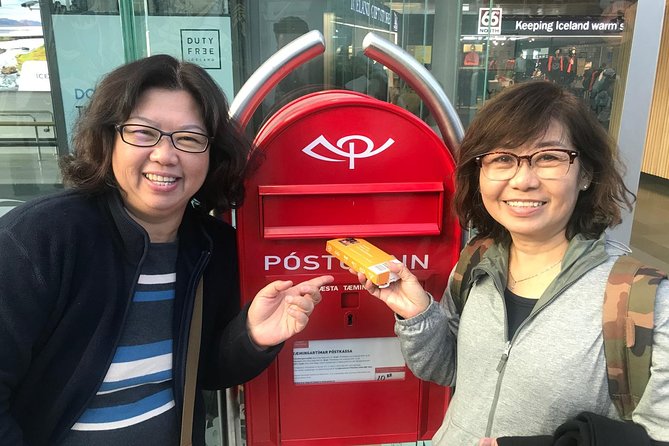
- Keflavik Airport drop-off uses pre-stamped mailboxes, so you are not stuck hunting for a specific office
- Local support nearby can help if the device or activation has questions
- Bring the exact order code since some codes are longer than you might expect
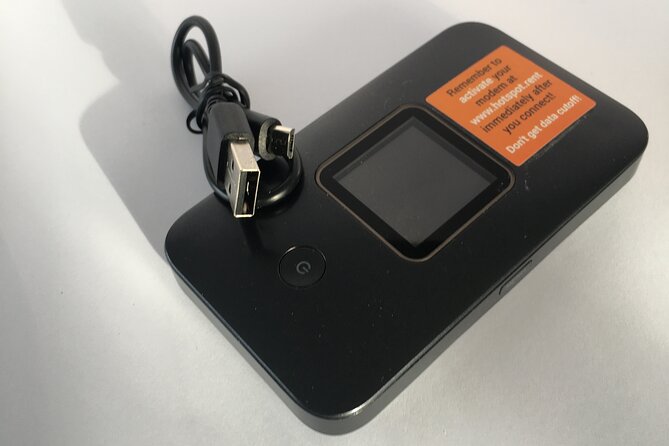
- Use the original orange box for return packing so nothing gets left behind
Not settled yet? These other Reykjavik outings landed on our desk too.




Pocket WiFi in Iceland, why it feels worth it
Iceland is small on paper and huge in real time. One minute you are checking directions in Reykjavik, the next you are on a long stretch where a dead connection means wasted minutes. A portable hotspot solves that fast, and this rental is built for people who want to stay connected without turning their trip into a SIM-card project.
The big value here is that the device acts like the internet for your phones and laptops. You do not need to swap your SIM or change what you normally do on your device. Up to 10 devices can connect, which is perfect for families, friends, or anyone traveling with a few work devices too.
There is also something underrated about having one shared source of internet. When you have everyone online, it is easier to coordinate meeting points, check live info, and keep your plans flexible when weather or timing changes.
Price and value for a group up to 10
This rental lists at $67 per group, up to 10 people. That is the kind of pricing that usually makes sense if you are traveling with at least a couple of people who would otherwise buy separate data plans.
Here is how I think about value. If you are two people and you would each need a decent data plan, a pocket hotspot often stops the cost from creeping up. If you are a group of four or five, it can feel like a bargain because everyone shares the same device.
The rental window runs from 4 to 100 days, with several length options. Short stays can be practical if you are only in Iceland for a week or a quick multi-city trip. Longer rentals make sense for road-trip style travel where you stay connected for planning, messaging, and everyday use without thinking about data limits.
One more small detail that affects value is the booked-in-advance pattern. On average, people plan about 20 days ahead, which usually signals that dates sell out or devices get allocated. If you have fixed travel days, booking early is a good habit.
Keflavik pickup: the orange box, the counter, and the codes
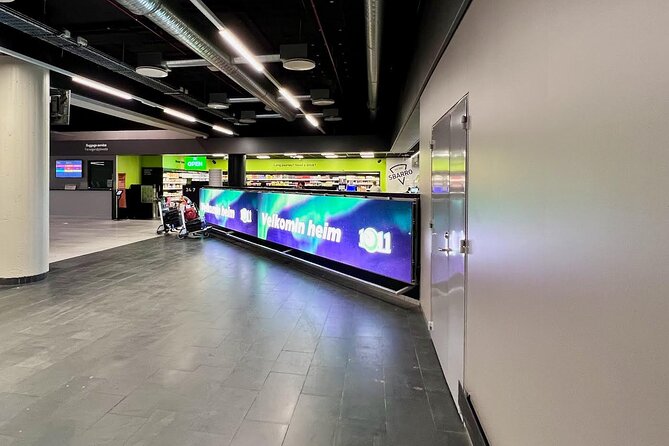
Your start and finish point is Keflavik International Airport (235 Keflavik, Iceland). The return part is very clear, and that is a comfort. The pickup part is where you want to be extra organized, because a few experiences showed that counter staff were not always confident with vouchers or barcode proofs.
Here is what I recommend doing before you leave the airport counter area:
- Have your confirmation ready on your phone and, if possible, keep a backup copy.
- Look for the exact order code you were given. One issue came up because a code length expectation was wrong, and the real code was a 10-digit string.
- Use the contact details included in your voucher if the counter is stuck. The provider response indicates those details are meant to solve pickup and rental questions.
Also, keep your expectations realistic. The device is meant to be easy once everything is set, but airport handoffs can be messy if staff are new or if paperwork formats vary. You can reduce that friction by showing the exact details in your voucher and being patient while they match it up.
For location context, the pickup is described as being handled at an airport store area. People also referenced a place called TenEleven and an airport shop counter setup. Since staff can vary, your best strategy is consistency: keep your voucher details visible and confirm the right device registration step.
- Reykjavík: Whale Watching and Marine Life Cruise★ 4.6 · 9,838 reviews
- Reykjavik: Sky Lagoon Entrance Pass With 7-Step Spa Ritual★ 4.8 · 6,166 reviews
- From Reykjavik: Golden Circle, Kerid, & Secret Lagoon Tour★ 4.8 · 6,009 reviews
- Iceland South Coast Full Day Small-Group Tour from Reykjavik★ 5.0 · 5,988 reviews
- Small-Group Golden Circle, Blue Lagoon with Ticket & Kerid Crater★ 5.0 · 5,631 reviews
How unlimited 4G works for maps, messages, and sharing
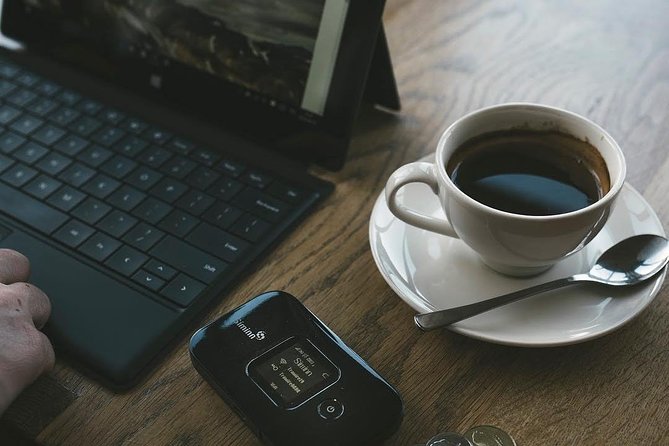
The product promise is simple: rent a portable hotspot and connect to the internet anywhere in Iceland using unlimited 4G. It is designed so you can connect your current phone or laptop devices without changing SIM cards.
In real life, that usually means you can do the stuff you actually need on the road:
- Navigation and map loading when you are driving or hopping between areas
- Messaging and checking arrival times without hunting for WiFi
- Sharing plans with your group in the moment
- Using travel apps that are data-heavy, like live updates or booking tools
The phrase “signal everywhere” came up in positive feedback, and that is what you are buying: fewer dead zones that force you to plan around internet availability. If your trip includes long drives or frequent check-ins, having a stable hotspot saves time.
One nice aspect for groups is that you avoid the single-person WiFi problem. With up to 10 devices connected, you can keep multiple people online without one hotspot user pulling the rest into offline mode.
Your trip days: using a hotspot without thinking about it
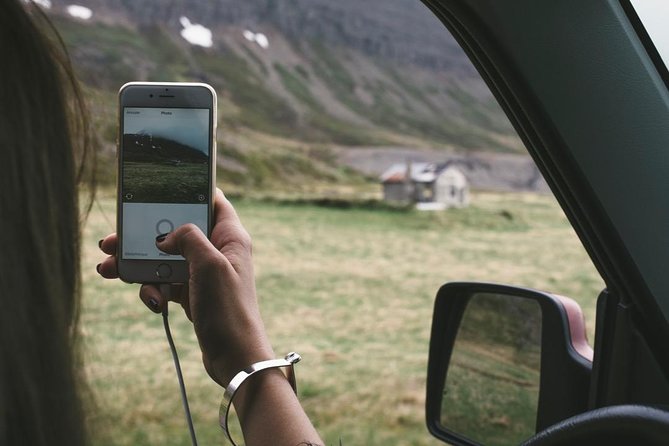
Once you have the device working, the rental becomes a quiet background tool. You put it in your bag or clip it into a simple spot, and your group just connects like you would with home internet.
The practical part is that your trip planning stays flexible. If you decide to switch routes or delay a stop, you can check what is open and adjust without waiting until you find public WiFi. That matters in Iceland where weather and timing can change your schedule.
Also, since this is unlimited data, you do not need to ration updates. That does not mean you should stream everything nonstop, but it does remove the stress of watching a data meter when you are trying to coordinate.
Local support is part of what makes this feel safer. The information says there is local support nearby for help. If your device has a question during activation, that support angle is worth it, especially when you are on day one of travel.
Returning the modem at Keflavik: where most people save time

The end-of-trip process is well laid out, which I love. You are returning at Keflavik International Airport again, and you handle it through mailboxes.
You will want to pack the modem and USB cord in the same orange box the device came in. Then you deliver it to one of two pre-stamped mailboxes at the airport:
- One mailbox is located in the Departure Hall
- The other is in the main food hall, after security check
That two-location setup matters. It gives you an option depending on where you are in the airport flow when you finalize your last minutes.
This is also a place where you should move with a little care. Airport timing is stressful enough. Double check you actually put the modem and USB cord in the box before you close it up. People can lose time later if something is missing and the process needs follow-up.
What the mixed reviews teach you (and how to avoid the headaches)
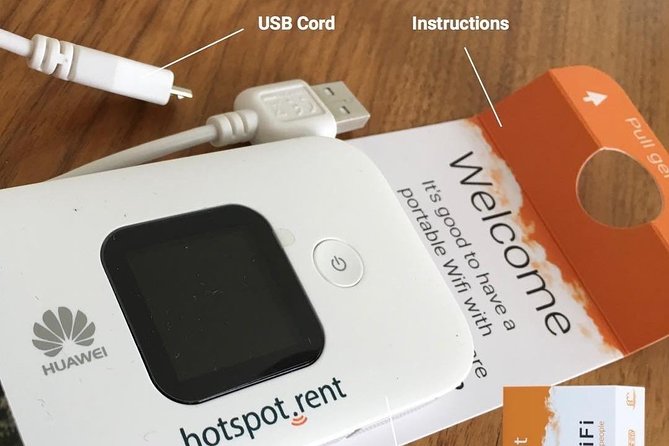
A few negative experiences focused on pickup confusion. That is not surprising in a system where many travelers arrive with phones, vouchers, and varying proof formats.
Here are the common pain points, translated into what you should do:
Pickup can be confusing if the counter does not recognize your proof
Some people described counters having trouble with proofs of purchase, like an E-wallet or barcode format. The fix in those situations was using documentation that the staff understood, plus moving to the right paperwork flow.
My advice: follow the voucher method you were given, and do not assume every desk will know every proof format. If the first counter interaction stalls, use the contact info in your voucher so you do not waste half your day.
Expect the order code to be the full code, not a shorter piece
One experience mentioned that the order code they expected was not the right format, and the actual code was 10 digits. That is an easy error to avoid if you copy the code directly from the voucher or confirmation email.
My advice: screenshot the code on your phone before you reach the pickup counter. That way you are not trying to hunt for it while you stand in line.
Registration steps may feel unclear the first time
At least one person described needing to register but finding the steps not clear enough. That suggests you should treat setup like a short task you do calmly, not something you do while rushing to board a flight.
My advice: once you have the device in hand, take a few minutes to set it up and connect at least one device before walking away.
To be fair, the positive side is strong. People rated the experience 5 out of 5 for ease of use, and they praised signal coverage, speed, and convenience of pickup and drop off. The mixed reviews are more about handoff friction than about the internet itself.
Who this pocket WiFi rental is best for
This rental fits best when you want internet coverage and group convenience more than you care about premium tech gear.
It is especially useful for:
- Groups who want one shared connection for up to 10 devices
- People traveling with multiple phones, tablets, or laptops
- Families who do not want SIM swapping chores
- Anyone who uses navigation and communication apps daily
It also suits people who want flexible trip planning. If you rely on live info, you will appreciate unlimited data because you can check things without switching to WiFi hunting mode.
On the other hand, if you are the kind of traveler who only needs occasional messages and you are comfortable rationing your connection, you might not need unlimited data. But for most active trips in Iceland, being connected is worth the calm.
Should you book this pocket WiFi rental?
If your Iceland trip includes driving, day trips, or a group where multiple people need internet, I think this is a smart booking. The pricing for up to 10 devices is a clear advantage, and the Keflavik return method through two mailboxes is the kind of low-stress setup that saves time.
Book it if you:
- Want unlimited 4G without SIM changes
- Are traveling with at least two people who will use data
- Prefer a shared hotspot for everyone instead of hunting WiFi
Skip it or be cautious if you:
- Hate any form of airport paperwork and setup
- Are not comfortable following your voucher steps and codes
- Are traveling solo and do not plan to use data much
My final advice is simple: be prepared at pickup. Have your voucher details and the full order code ready, and you will likely sail through. Once it is running, the payoff is staying connected wherever your Iceland days take you.
FAQ
How many devices can connect to the pocket WiFi?
Up to 10 laptops or mobile devices can connect.
Is the data limited?
The plan is described as unlimited 4G.
Do I need to change my SIM card?
No. The hotspot lets you connect without changing the SIM card in your current mobile device.
Where do I pick up the device?
Pickup is at Keflavik International Airport, 235 Keflavik, Iceland.
What do I need to do to return the device?
Pack the modem and USB cord in the original orange box, then deliver it to one of two pre-stamped mailboxes at the airport.
Where are the return mailboxes located?
One mailbox is in the Departure Hall. The other is in the main food hall after security check.
How long can I rent it for?
Rental duration is available from about 4 days up to about 100 days, with several length periods.
Is it refundable if my plans change?
No. It is non-refundable and cannot be changed for any reason.
More Tour Reviews in Reykjavik




More Reykjavik write-ups from our desk
- Private Transfer from Reykjavik to Reykjavik Airport KEF by Sedan
★ 5.0 · 3 reviews - Northern Lights in Mini Bus, Photos, Hot Cocoa and Pastries
★ 5.0 · 3 reviews - Exclusive Westman Islands Adventure – A Private Day Tour
★ 5.0 · 3 reviews - Private South Coast tour with Glacier walk
★ 5.0 · 3 reviews - Borgarfjörður
★ 4.5 · 3 reviews - SOUTH COAST : The Discovery
★ 5.0 · 3 reviews